安卓逆向 -- 使用jadx-ai-mcp辅助分析某校园pro校园跑
Tonyha7
Tonyha7
逆向有你
2026年10月19日 10:04
河南
去阅读
介绍
笔者的学校又开始了新一轮的校园跑 这次换了一个校园跑的app
本着科技强国的思想 自然少不了对这个app的一顿研究
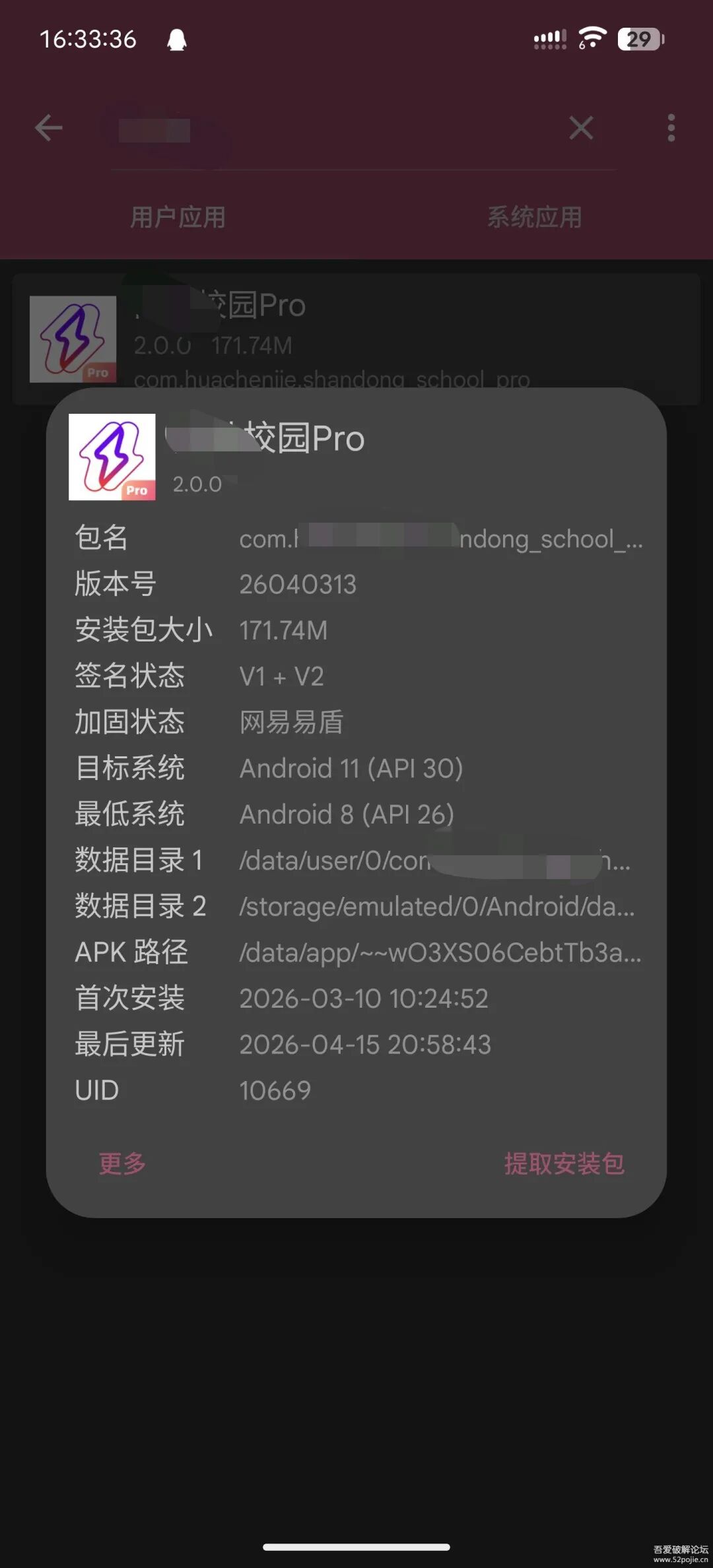
易盾加固%20所以我们直接搞个Xposed模块来hook%20是比较省时省力的方法
分析与Hook
首先脱壳%20这里就不赘述了%20现有的工具很多
这里讲一下如何配置jadx-ai-mcp插件和服务器
首先打开jadx%20加载插件jadx-ai-mcp-6.3.0.jar
然后解压jadx-mcp-server-6.3.0.zip%20命令行进入jadx-mcp-server文件夹
执行
 复制代码 隐藏代码
pip%20install%20-r%20./requirements.txt
来安装依赖
然后进入各种支持mcp的编辑器%20我这里用的vscode
编辑mcp配置%20添加刚才的服务器
这里的端口要和jadx插件里的端口一致
这里有个坑%20有的时候打开了文件%20但是界面上没有Plugins的选项
解决方法是把jadx窗口最大化一下就好了
将这个服务器启用%20然后你就可以让agent来调用了
我这里用的是GitHub%20Copilot
模型推荐使用Gemini%203.1%20Pro Claude太贵%20GPT限制太多
确认需求
在详细分析之前%20先确定好我们的目标
- 使用大多数模拟位置的软件模拟位置后%20这个app仍然会获取到真实位置信息
- 在进行校园跑的过程中%20app会随机进行扫脸验证
- 校园跑有“电子围栏”机制%20在电子围栏外的操作全部不会记录
创建一个Xposed项目
创建模块这里不详细写了%20对于这种有加固的app%20我们需要获取到app真正加载的ClassLoader来进行hook操作
 复制代码 隐藏代码
publicclassStartHookimplementsIXposedHookLoadPackage {
 %20  @Override
 %20  publicvoidhandleLoadPackage(XC_LoadPackage.LoadPackageParam%20loadPackageParam)throws Throwable%20{
 %20 %20 %20  StringpackageName= loadPackageParam.packageName;
 %20 %20 %20  ClassLoaderclassLoader= loadPackageParam.classLoader;
 %20 %20 %20  if (packageName.equals(\"com.huachenjie.shandong_school_pro\"))%20{
 %20 %20 %20 %20 %20 %20XposedHelpers.findAndHookMethod(\"com.netease.nis.wrapper.MyApplication\",%20loadPackageParam.classLoader,
 %20 %20 %20 %20 %20 %20 %20 %20 %20  \"attachBaseContext\",%20Context.class, newXC_MethodHook()%20{
 %20 %20 %20 %20 %20 %20 %20  @Override
 %20 %20 %20 %20 %20 %20 %20  protectedvoidafterHookedMethod(MethodHookParam%20param)throws Throwable%20{
 %20 %20 %20 %20 %20 %20 %20 %20 %20  super.afterHookedMethod(param);
 %20 %20 %20 %20 %20 %20 %20 %20 %20  Contextcontext= (Context)%20param.args[0];
 %20 %20 %20 %20 %20 %20 %20 %20 %20  ClassLoaderclassLoader= context.getClassLoader(); //使用这个ClassLoader来进行Hook
 %20 %20 %20 %20 %20 %20 %20 %20 %20 %20Toast.makeText(context, \"Hook成功\",%20Toast.LENGTH_SHORT).show();
 %20 %20 %20 %20 %20 %20 %20 %20}
 %20 %20 %20 %20 %20 %20});
 %20 %20 %20 %20}
 %20 %20}
}
信息获取
我们需要获取一次真实的上传数据%20用于分析校园跑在跑步的过程中需要记录什么信息
获取到校园跑Activity之后%20直接扔给ai分析
ai写出了以下的代码
 复制代码 隐藏代码
publicclassRunDataLoggerHook {
 %20  publicstaticvoidHook(ClassLoader%20classLoader) {
 %20 %20 %20  try {
 %20 %20 %20 %20 %20  //%20定位到最终负责上传各个成绩请求的入口类
 %20 %20 %20 %20 %20 %20Class<?>%20runModelClass%20=%20XposedHelpers.findClassIfExists(\"com.huachenjie.running.model.b\",%20classLoader);

 %20 %20 %20 %20 %20  if (runModelClass%20!= null)%20{
 %20 %20 %20 %20 %20 %20 %20  //%20Hook%20跑步结束上传成绩的方法%20c(Map<String,%20Object>%20params)
 %20 %20 %20 %20 %20 %20 %20 %20XposedBridge.hookAllMethods(runModelClass, \"c\", newXC_MethodHook()%20{
 %20 %20 %20 %20 %20 %20 %20 %20 %20  @Override
 %20 %20 %20 %20 %20 %20 %20 %20 %20  protectedvoidbeforeHookedMethod(MethodHookParam%20param)throws Throwable%20{
 %20 %20 %20 %20 %20 %20 %20 %20 %20 %20 %20  super.beforeHookedMethod(param);

 %20 %20 %20 %20 %20 %20 %20 %20 %20 %20 %20  if (param.args%20!= null &&%20param.args.length%20> 0 &&%20param.args[0] instanceof Map)%20{
 %20 %20 %20 %20 %20 %20 %20 %20 %20 %20 %20 %20 %20 %20Map<?,%20?>%20paramsMap%20=%20(Map<?,%20?>)%20param.args[0];

 %20 %20 %20 %20 %20 %20 %20 %20 %20 %20 %20 %20 %20 %20XposedBridge.log(\"======%20拦截到准备上传的真实跑步数据%20======\");

 %20 %20 %20 %20 %20 %20 %20 %20 %20 %20 %20 %20 %20  //%20尝试使用%20Fastjson(应用内自带)将%20Map%20转为%20JSON,方便阅读和复制
 %20 %20 %20 %20 %20 %20 %20 %20 %20 %20 %20 %20 %20  try {
 %20 %20 %20 %20 %20 %20 %20 %20 %20 %20 %20 %20 %20 %20 %20 %20Class<?>%20jsonClass%20=%20XposedHelpers.findClassIfExists(\"com.alibaba.fastjson.JSON\",%20classLoader);
 %20 %20 %20 %20 %20 %20 %20 %20 %20 %20 %20 %20 %20 %20 %20  if (jsonClass%20!= null)%20{
 %20 %20 %20 %20 %20 %20 %20 %20 %20 %20 %20 %20 %20 %20 %20 %20 %20  StringjsonString= (String)%20XposedHelpers.callStaticMethod(jsonClass, \"toJSONString\",%20paramsMap);
 %20 %20 %20 %20 %20 %20 %20 %20 %20 %20 %20 %20 %20 %20 %20 %20 %20  //%20分段打印,防止%20logcat%20截断
 %20 %20 %20 %20 %20 %20 %20 %20 %20 %20 %20 %20 %20 %20 %20 %20 %20 %20logLongString(jsonString);
 %20 %20 %20 %20 %20 %20 %20 %20 %20 %20 %20 %20 %20 %20 %20 %20} else {
 %20 %20 %20 %20 %20 %20 %20 %20 %20 %20 %20 %20 %20 %20 %20 %20 %20  //%20退级:直接%20toString()
 %20 %20 %20 %20 %20 %20 %20 %20 %20 %20 %20 %20 %20 %20 %20 %20 %20 %20logLongString(paramsMap.toString());
 %20 %20 %20 %20 %20 %20 %20 %20 %20 %20 %20 %20 %20 %20 %20 %20}
 %20 %20 %20 %20 %20 %20 %20 %20 %20 %20 %20 %20 %20 %20} catch (Exception%20e)%20{
 %20 %20 %20 %20 %20 %20 %20 %20 %20 %20 %20 %20 %20 %20 %20 %20XposedBridge.log(\"转%20JSON%20出错:%20\" +%20e.getMessage());
 %20 %20 %20 %20 %20 %20 %20 %20 %20 %20 %20 %20 %20 %20 %20 %20logLongString(paramsMap.toString());
 %20 %20 %20 %20 %20 %20 %20 %20 %20 %20 %20 %20 %20 %20}

 %20 %20 %20 %20 %20 %20 %20 %20 %20 %20 %20 %20 %20 %20XposedBridge.log(\"======%20真跑数据拦截结束%20======\");
 %20 %20 %20 %20 %20 %20 %20 %20 %20 %20 %20 %20}
 %20 %20 %20 %20 %20 %20 %20 %20 %20 %20}
 %20 %20 %20 %20 %20 %20 %20 %20});
 %20 %20 %20 %20 %20 %20}
 %20 %20 %20 %20} catch (Exception%20e)%20{
 %20 %20 %20 %20 %20 %20XposedBridge.log(\"RunDataLoggerHook%20异常:%20\" +%20e.getMessage());
 %20 %20 %20 %20}
 %20 %20}

 %20  //%20处理超长字符串的打印(Xposed%20log%20最大长度有硬性限制,通常4k)
 %20  privatestaticvoidlogLongString(String%20str) {
 %20 %20 %20  if (str%20== null) return;
 %20 %20 %20  intsegmentSize=3000;
 %20 %20 %20  longlength= str.length();
 %20 %20 %20  if (length%20<=%20segmentSize)%20{
 %20 %20 %20 %20 %20 %20XposedBridge.log(str);
 %20 %20 %20 %20} else {
 %20 %20 %20 %20 %20 %20XposedBridge.log(\"数据过长,分段打印开始:\");
 %20 %20 %20 %20 %20  for (inti=0;%20i%20<%20length;%20i%20+=%20segmentSize)%20{
 %20 %20 %20 %20 %20 %20 %20  intend= (i%20+%20segmentSize)%20<%20length%20?%20(i%20+%20segmentSize)%20:%20(int)%20length;
 %20 %20 %20 %20 %20 %20 %20 %20XposedBridge.log(str.substring(i,%20end));
 %20 %20 %20 %20 %20 %20}
 %20 %20 %20 %20 %20 %20XposedBridge.log(\"分段打印结束。\");
 %20 %20 %20 %20}
 %20 %20}
}
然后我们正常进行一次校园跑%20让模块把上传的数据读取出来
 复制代码 隐藏代码
[ 2026-04-13T07:24:38.626 %20  10669: 17896: 26737 I/LSPosedFramework ]%20(com.huachenjie.shandong_school_pro)[com.th7.shandong,XposedBridge]%20{\"pauseTimes\":5,\"stepInterval\":18,\"distance\":\"1209\",\"sportType\":1,\"totalStep\":\"1822\",\"alignType\":3,\"stepList\":[{\"endStep\":1606,\"endTime\":630,\"index\":31,\"stability\":0,\"startStep\":1641,\"startTime\":600,\"step\":45,\"time\":20},{\"endStep\":1770,\"endTime\":540,\"index\":32,\"stability\":0,\"startStep\":1710,\"startTime\":620,\"step\":54,\"time\":20},{\"endStep\":1806,\"endTime\":658,\"index\":33,\"stability\":0,\"startStep\":1760,\"startTime\":540,\"step\":48,\"time\":20}],\"runRecordCode\":\"2604**6\",\"duration\":\"658\",\"paceList\":[{\"distance\":45,\"endDistance\":1199,\"endStepCount\":1798,\"endTime\":653,\"index\":25,\"stability\":0,\"startDistance\":1151,\"startStepCount\":1724,\"startTime\":626,\"stepCount\":74,\"time\":20},{\"distance\":10,\"endDistance\":1206,\"endStepCount\":1816,\"endTime\":658,\"index\":26,\"stability\":0,\"startDistance\":1199,\"startStepCount\":1798,\"startTime\":653,\"stepCount\":8,\"time\":3}],\"paceInterval\":50,\"pauseCount\":1,\"pois\":[{\"accuracy\":3.0,\"collectTime\":xxx,\"createTime\":xxx,\"index\":220,\"lat\":3xxx,\"lng\":10xxx,\"offFenceDisM\":-1,\"runTime\":656,\"satellites\":15,\"state\":1}],\"faceCheckRecordList\":[{\"checkDistance\":1169,\"checkIndex\":1,\"checkLat\":3xxx,\"checkLng\":10xxx,\"confidence\":7xxx,\"extendParam\":\"{\\\"filePath\\\":\\\"/data/user/0/com.huachenjie.shandong_school_pro/files/xxx.jpg\\\",\\\"fileUrl\\\":\\\"https://oss-cdn.huachenjie.com/prod/run-front/face/run/xxx.jpg\\\",\\\"progress\\\":\\\"uploading-\\\\u003esuccess-\\\\u003ecompare-\\\\u003esuccess\\\"}\",\"faceRequestId\":\"xxx\",\"finishFaceCheck\":true,\"hasChecked\":true,\"popTime\":xxx,\"randomDistance\":1169,\"runFaceImg\":\"https://oss-cdn.huachenjie.com/prod/run-front/face/run/xxx.jpg\",\"runFaceUpload\":true,\"stability\":0}],\"status\":1}
以上数据为瞎编的
逆向
我们把数据发给ai 并且把我们的目标也加上
经过半个小时的分析 ai给出了如下代码
 复制代码 隐藏代码
publicclassFaceBypassHook {
    publicstaticvoidHook(ClassLoader classLoader) {
        Class<?> delegateClass = XposedHelpers.findClassIfExists(
                \"com.huachenjie.base.aliyun.detect_face.DetectFaceDelegate\",
                classLoader);

        if (delegateClass != null) {
            XposedBridge.hookAllMethods(delegateClass, \"r\", newXC_MethodHook() {
                @Override
                protectedvoidbeforeHookedMethod(MethodHookParam param)throws Throwable {
                    param.args[0] = true;
                    XposedBridge.log(\"Hooked DetectFaceDelegate.r -> 强制修改返回结果为 true\");
                }
            });

        /* (可选) 拦截上传对比方法,直接不执行网络请求并调用 r(true)
        XposedBridge.hookAllMethods(delegateClass, \"o\", new XC_MethodReplacement() {
            @Override
            protected Object replaceHookedMethod(MethodHookParam param) throws Throwable {
                XposedBridge.log(\"Hooked DetectFaceDelegate.o -> 拦截 compareFace 阻断上传\");
                // 反射调用 r(true) 制造成功假象
                XposedHelpers.callMethod(param.thisObject, \"r\", true);
                return null;
            }
        });
         */

            XposedBridge.hookAllMethods(delegateClass, \"p\", newXC_MethodReplacement() {
                @Override
                protected Object replaceHookedMethod(MethodHookParam param)throws Throwable {
                    XposedBridge.log(\"Hooked DetectFaceDelegate.p -> 拦截 detectLivingFace 阻断活体检验\");
                    // 反射调用 r(true) 制造成功假象
                    XposedHelpers.callMethod(param.thisObject, \"r\", true);
                    returnnull;
                }
            });
        }
    }
}
很搞笑的一点是 这个app的人脸检测是本地判断的
而且只判断了是否存在活体
经过测试 就算直接上传一个只有1x1像素的jpg图片也可以通过校验
 复制代码 隐藏代码
publicclassAntiDetectHook {
    publicstaticvoidHook(ClassLoader classLoader) {
        try {
            // 1. 绕过虚拟定位检测
            // 屏蔽 Android 6.0+ 的 isFromMockProvider API
            XposedHelpers.findAndHookMethod(Location.class, \"isFromMockProvider\", XC_MethodReplacement.returnConstant(false));

            // 屏蔽 Android 12+ 的 isMock API
            if (Build.VERSION.SDK_INT >= 31) {
                XposedHelpers.findAndHookMethod(Location.class, \"isMock\", XC_MethodReplacement.returnConstant(false));
            }

            // 拦截获取开发者选项中“允许模拟位置”的设置读取
            XposedHelpers.findAndHookMethod(Settings.Secure.class, \"getInt\", android.content.ContentResolver.class, String.class, int.class, newXC_MethodHook() {
                @Override
                protectedvoidbeforeHookedMethod(MethodHookParam param)throws Throwable {
                    Stringsetting= (String) param.args[1];
                    if (Settings.Secure.ALLOW_MOCK_LOCATION.equals(setting)) {
                        param.setResult(0); // 强制返回 0(未开启)
                    }
                }
            });

            // 过滤系统级原始定位上报的网络基站位置,强制只收受虚拟的 GPS
            try {
                XposedHelpers.findAndHookMethod(\"android.location.LocationManager\", classLoader, \"requestLocationUpdates\", String.class, long.class, float.class, \"android.location.LocationListener\", newXC_MethodHook() {
                    @Override
                    protectedvoidbeforeHookedMethod(MethodHookParam param)throws Throwable {
                        Stringprovider= (String) param.args[0];
                        if (\"network\".equals(provider)) {
                            // 遇到获取网络定位,直接将其篡改为无效,强迫系统/APP仅用我们注入的 GPS 数据
                            param.args[0] = \"passive\";
                        }
                    }
                });

                XposedHelpers.findAndHookMethod(\"android.location.LocationManager\", classLoader, \"getLastKnownLocation\", String.class, newXC_MethodHook() {
                    @Override
                    protectedvoidafterHookedMethod(MethodHookParam param)throws Throwable {
                        // 抑制“上一次所在位置”的提取。由于这个值常常是你未修改坐标前的真实宿舍点位,跳跃到操场会被算出几十公里而越界
                        param.setResult(null);
                    }
                });
            } catch (Throwable ignore) {}

            try {                // 新增:拦截高德地图定位的配置设置,强制限制它只使用设备传感器(纯 GPS),切断 Wi-Fi 和基站网络定位,防止“真假坐标互跳”
                Class<?> aMapLocationClientOptionClass = XposedHelpers.findClassIfExists(\"com.amap.api.location.AMapLocationClientOption\", classLoader);
                if (aMapLocationClientOptionClass != null) {
                    Class<?> aMapLocationModeEnum = XposedHelpers.findClassIfExists(\"com.amap.api.location.AMapLocationClientOption$AMapLocationMode\", classLoader);
                    if (aMapLocationModeEnum != null) {
                        try {
                            finalObjectdeviceSensorsMode= Enum.valueOf((Class<Enum>) aMapLocationModeEnum, \"Device_Sensors\");
                            XposedBridge.hookAllMethods(aMapLocationClientOptionClass, \"setLocationMode\", newXC_MethodHook() {
                                @Override
                                protectedvoidbeforeHookedMethod(MethodHookParam param)throws Throwable {
                                    if (deviceSensorsMode != null) {
                                        param.args[0] = deviceSensorsMode; // 强制指定成纯 GPS 模式
                                    }
                                }
                            });
                        } catch (Throwable t) {}
                    }
                }
                // 深度拦截高德地图 (AMap) SDK 以及自有封装业务对定位的真实坐标校验,从而绕过“已离开有效跑步范围/公里数0”的警告
                Class<?> aMapLocationClass = XposedHelpers.findClassIfExists(\"com.amap.api.location.AMapLocation\", classLoader);
                if (aMapLocationClass != null) {
                    XposedBridge.hookAllMethods(aMapLocationClass, \"isMock\", XC_MethodReplacement.returnConstant(false));
                    XposedBridge.hookAllMethods(aMapLocationClass, \"getTrustedLevel\", XC_MethodReplacement.returnConstant(1));
                    XposedBridge.hookAllMethods(aMapLocationClass, \"getErrorCode\", XC_MethodReplacement.returnConstant(0));
                    // [新增] 屏蔽卫星颗数和定位质量监测
                    XposedBridge.hookAllMethods(aMapLocationClass, \"getSatellites\", XC_MethodReplacement.returnConstant(12)); // 强行拉高卫星数,过检测 (>2颗)
                    XposedBridge.hookAllMethods(aMapLocationClass, \"getLocationType\", XC_MethodReplacement.returnConstant(1)); // 1 代表原生 GPS 定位返回结果
                    XposedBridge.hookAllMethods(aMapLocationClass, \"getAccuracy\", XC_MethodReplacement.returnConstant(5.0f)); // 精度拉高到 5米 绝佳状态
                    XposedBridge.hookAllMethods(aMapLocationClass, \"getSpeed\", newXC_MethodHook() {
                        @Override
                        protectedvoidafterHookedMethod(MethodHookParam param)throws Throwable {
                            floatspeed= (float) param.getResult();
                            if (speed <= 0.5f) {
                                param.setResult(2.5f); // 补2.5的底层配速防止被当作静止
                            }
                        }
                    });                }

                Class<?> hcjAddressInfo = XposedHelpers.findClassIfExists(\"huachenjie.sdk.map.lib_base.HCJAddressInfo\", classLoader);
                if (hcjAddressInfo != null) {
                    XposedBridge.hookAllMethods(hcjAddressInfo, \"isMock\", XC_MethodReplacement.returnConstant(false));
                    XposedBridge.hookAllMethods(hcjAddressInfo, \"getSatellites\", XC_MethodReplacement.returnConstant(12));
                    XposedBridge.hookAllMethods(hcjAddressInfo, \"getGpsStatus\", XC_MethodReplacement.returnConstant(1));
                    XposedBridge.hookAllMethods(hcjAddressInfo, \"getAccuracy\", XC_MethodReplacement.returnConstant(5.0f));
                    XposedBridge.hookAllMethods(hcjAddressInfo, \"getSpeed\", newXC_MethodHook() {
                        @Override
                        protectedvoidafterHookedMethod(MethodHookParam param)throws Throwable {
                            floatspeed= (float) param.getResult();
                            if (speed <= 0.5f) {
                                param.setResult(2.5f);
                            }
                        }
                    });
                }

                // 拦截应用层自身纪录点的对象
                Class<?> runLatLng = XposedHelpers.findClassIfExists(\"com.huachenjie.common.bean.RunLatLng\", classLoader);
                if (runLatLng != null) {
                    XposedBridge.hookAllMethods(runLatLng, \"getSatellites\", XC_MethodReplacement.returnConstant(12));
                    XposedBridge.hookAllMethods(runLatLng, \"isValid\", XC_MethodReplacement.returnConstant(true));
                    XposedBridge.hookAllMethods(runLatLng, \"getAccuracy\", XC_MethodReplacement.returnConstant(5.0f));
                }

                // 核心控制层:接管 DataComponent 新版拉取位置信息的方法 P0 (原为O0)
                Class<?> dataComponent = XposedHelpers.findClassIfExists(\"com.huachenjie.running.service.DataComponent\", classLoader);
                if (dataComponent != null) {
                    XposedBridge.hookAllMethods(dataComponent, \"P0\", newXC_MethodHook() {
                        @Override
                        protectedvoidafterHookedMethod(MethodHookParam param)throws Throwable {
                            ObjecthcjInfo= param.getResult();
                            if (hcjInfo != null) {
                                XposedHelpers.callMethod(hcjInfo, \"setSatellites\", 12);
                                XposedHelpers.callMethod(hcjInfo, \"setMock\", false);
                                XposedHelpers.callMethod(hcjInfo, \"setFromMockProvider\", false);
                                XposedHelpers.callMethod(hcjInfo, \"setAccuracy\", 5.0f);
                                XposedHelpers.callMethod(hcjInfo, \"setGpsStatus\", 1); // 设置 GPS 状态

                                floatspeed= (float) XposedHelpers.callMethod(hcjInfo, \"getSpeed\");
                                if (speed <= 0.5f) {
                                    XposedHelpers.callMethod(hcjInfo, \"setSpeed\", 2.5f);
                                }
                            }
                        }
                    });
                }

                // 【强制屏蔽地理围栏逻辑检测】如果上层仍然通过缓存的目标点(TargetPoints)判断你在围栏外,这里进行拦截
                Class<?> targetPointsClass = XposedHelpers.findClassIfExists(\"com.huachenjie.common.bean.TargetPoints\", classLoader);
                if (targetPointsClass != null) {
                    XposedBridge.hookAllMethods(targetPointsClass, \"isInFence\", XC_MethodReplacement.returnConstant(true));
                    XposedBridge.hookAllMethods(targetPointsClass, \"getIsInFence\", XC_MethodReplacement.returnConstant(true));
                    XposedBridge.hookAllMethods(targetPointsClass, \"isSensitiveFenceAdded\", XC_MethodReplacement.returnConstant(false));
                    XposedBridge.hookAllMethods(targetPointsClass, \"getIsSensitiveFenceAdded\", XC_MethodReplacement.returnConstant(false));
                }

                // 阻止 AutoPauseView 弹窗本身显示“越界”和 WIfi 报警,掩耳盗铃
                Class<?> autoPauseView = XposedHelpers.findClassIfExists(\"com.huachenjie.running.widget.AutoPauseView\", classLoader);
                if (autoPauseView != null) {
                    XposedBridge.hookAllMethods(autoPauseView, \"setLastedDuration\", newXC_MethodHook() {
                        @Override
                        protectedvoidbeforeHookedMethod(MethodHookParam param)throws Throwable {
                            intreason= (int) param.args[1];
                            // 去除 1 (越野报警) 和 2 (WiFi预警) 等相关的标志
                            param.args[1] = reason & ~3;
                        }
                    });
                }
            } catch (Throwable ignore) {}

            // [新增] Android原生地层级检测:卫星获取接口拦截,处理 GnssStatus/GpsStatus 检测不到卫星导致为0的问题
            try {
                Class<?> gnssStatusClass = XposedHelpers.findClassIfExists(\"android.location.GnssStatus\", classLoader);
                if (gnssStatusClass != null) {
                    XposedBridge.hookAllMethods(gnssStatusClass, \"getSatelliteCount\", XC_MethodReplacement.returnConstant(12));
                }
            } catch (Throwable ignore) {}

            // 拦截底层系统本身 Location 附加数据的卫星情况
            XposedHelpers.findAndHookMethod(Location.class, \"getExtras\", newXC_MethodHook() {
                @Override
                protectedvoidafterHookedMethod(MethodHookParam param)throws Throwable {
                    android.os.Bundleextras= (android.os.Bundle) param.getResult();
                    if (extras == null) {
                       extras = newandroid.os.Bundle();
                    }
                    extras.putInt(\"satellites\", 12);
                    param.setResult(extras);
                }
            });

            // 2. 绕过基本的 Root 检测(隐藏常见的su执行文件)
            XposedHelpers.findAndHookMethod(File.class, \"exists\", newXC_MethodHook() {
                @Override
                protectedvoidbeforeHookedMethod(MethodHookParam param)throws Throwable {
                    Filefile= (File) param.thisObject;
                    Stringpath= file.getAbsolutePath();
                    if (path != null && (path.endsWith(\"/su\") || path.contains(\"magisk\") || path.contains(\"xposed\"))) {
                        param.setResult(false); //笔者: 这玩意真的有用吗(不是)
                    }
                }
            });

            XposedBridge.log(\"★[XXXX校园] 防检测机制(Root/虚拟定位)Hook 成功\");
        } catch (Throwable t) {
            XposedBridge.log(\"★[XXXX校园] 防检测机制 Hook 异常: \" + t.getMessage());
        }
    }
}
我们乘胜追击 让步频模拟等功能也一并实现
 复制代码 隐藏代码
publicclassSensorMockHook {
    privatestaticintmockStepCount=0;
    privatestaticTimerstepTimer=null;

    publicstaticvoidHook(ClassLoader classLoader) {
        try {
            // 拦截注册传感器监听器,捕获App对步数和加速度传感器的监听
            XposedHelpers.findAndHookMethod(SensorManager.class, \"registerListener\",
                    SensorEventListener.class, Sensor.class, int.class, newXC_MethodHook() {
                        @Override
                        protectedvoidafterHookedMethod(MethodHookParam param)throws Throwable {
                            SensorEventListenerlistener= (SensorEventListener) param.args[0];
                            Sensorsensor= (Sensor) param.args[1];

                            if (sensor == null || listener == null) return;

                            inttype= sensor.getType();
                            // 针对计步器和计步检测器进行模拟
                            if (type == Sensor.TYPE_STEP_COUNTER || type == Sensor.TYPE_STEP_DETECTOR) {
                                XposedBridge.log(\"★[XXXX校园] 拦截到步数传感器注册开始模拟步频\");
                                startStepSimulation(listener, sensor);
                            }
                        }
                    });

            XposedHelpers.findAndHookMethod(SensorManager.class, \"unregisterListener\",
                    SensorEventListener.class, Sensor.class, newXC_MethodHook() {
                        @Override
                        protectedvoidafterHookedMethod(MethodHookParam param)throws Throwable {
                            stopStepSimulation();
                        }
                    });
            XposedBridge.log(\"★[XXXX校园] 步频模拟机制 Hook 成功\");
        } catch (Throwable t) {
            XposedBridge.log(\"★[XXXX校园] 传感器步频模拟 Hook 异常: \" + t.getMessage());
        }
    }

    privatestaticvoidstartStepSimulation(final SensorEventListener listener, final Sensor sensor) {
        if (stepTimer != null) return;
        stepTimer = newTimer();
        // 模拟正常跑步步频:约每秒 2.5 步 (也就是 150 步/分钟)
        stepTimer.scheduleAtFixedRate(newTimerTask() {
            @Override
            publicvoidrun() {
                mockStepCount += 2;
                sendFakeSensorEvent(listener, sensor, mockStepCount);
            }
        }, 0, 800);
    }

    privatestaticvoidstopStepSimulation() {
        if (stepTimer != null) {
            stepTimer.cancel();
            stepTimer = null;
        }
    }

    // 构造伪造的 SensorEvent 并通知 App
    privatestaticvoidsendFakeSensorEvent(SensorEventListener listener, Sensor sensor, int steps) {
        try {
            // 通过反射实例化系统保护的 SensorEvent
            SensorEventevent= (SensorEvent) SensorEvent.class.getDeclaredConstructors()[0].newInstance(1);
            event.sensor = sensor;
            event.accuracy = SensorManager.SENSOR_STATUS_ACCURACY_HIGH;
            event.timestamp = System.nanoTime();
            event.values[0] = steps;

            listener.onSensorChanged(event);
        } catch (Throwable e) {
            // 忽略报错
        }
    }
}
后续还实现了一些小功能 比如让app获取不到WiFi等功能 这里就不展开了
最后 我们找一个带摇杆/模拟路线的虚拟定位软件就可以愉快地开跑了
总结
AI真是太好用了
遇到问题/解决不了的问题 可以直接带着LSPosed的模块日志和问题现象去问ai 重复几次即可解决
·今 日 推 荐·
|
|
 |
 |
| --- |
|











评论